
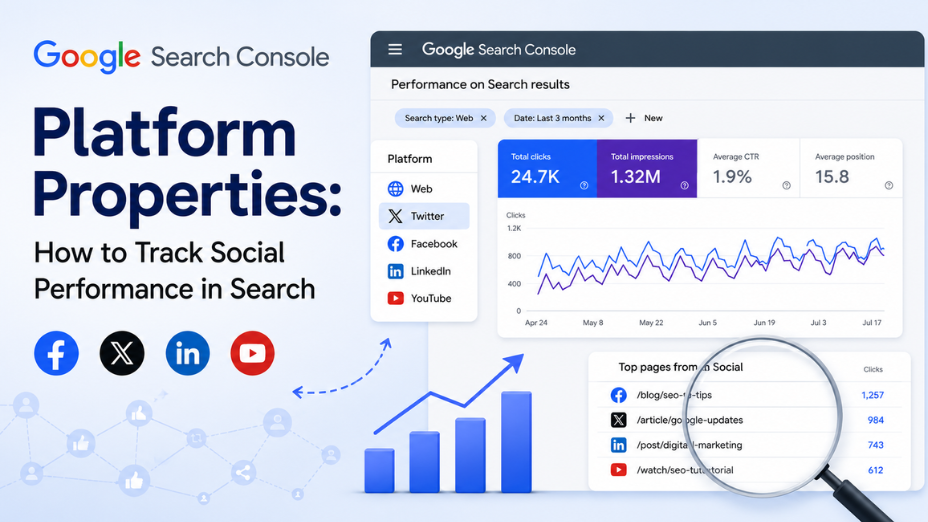
Google introduced Google Search Console Platform Properties to give creators, brand managers, and SEO specialists unified visibility over how off-site social and video content performs across Google Search and Discover. If you manage brand profiles across social channels and want to measure organic search discovery beyond your main website domain, this feature is built for you.
Instead of guessing how your social content ranks on search engine results pages, you can now measure clicks, impressions, and query trends directly in one centralized dashboard. You are in the right place to understand how this update works, why it matters, and how to configure it for your digital marketing strategy.
For over two decades, Search Console focused almost exclusively on traditional web domains. Marketers verified website ownership via DNS records, uploaded XML sitemaps, and tracked performance across web search results. However, search behavior has undergone a structural transformation. Searchers routinely consume short-form video, image carousels, and social threads directly within search results and feed experiences.
The Google Search Console 2026 update bridges this gap by introducing dedicated platform properties. Instead of verifying domain ownership through file uploads or DNS records, you authorize access to your official social media profiles via OAuth protocol.
Google currently supports four major networks under this property type:
This development means social media managers and SEO teams no longer need to work in separate analytics silos. Off-site social content can finally be evaluated with the exact same organic search metrics used for website landing pages.
Modern search engine optimization extends well beyond traditional blog posts and landing pages. Audiences search across diverse formats, and search engines index social media feeds to answer real-time, visual, and commercial search queries.
This reality makes Search Everywhere Optimization a foundational strategy for modern brand visibility. When potential customers search for product demonstrations, unboxing reviews, or industry guides, search engines frequently display Google Discover social posts and visual cards directly beside web search listings.
By tracking Google Search Console social media performance, digital teams gain a complete picture of their multi-channel search footprint. You can track whether a user discovered your business through an in-depth technical article or a 15-second video clip.
At GBIM, our integrated digital marketing strategies focus on capturing search visibility across every organic touchpoint. Synchronizing these cross-channel data streams ensures that your social creative strategy directly reinforces your search authority.
While basic guides cover simple setup steps, executing a successful multi-platform search strategy requires understanding several technical and strategic nuances that standard articles overlook.
When your social post and your website landing page target the same search query, they do not compete destructively. Instead, they allow your brand to occupy multiple visual real estate slots on Page 1. Having a web result alongside a social Reel or YouTube Short increases total brand mindshare and improves aggregate click-through rates.
Social media algorithms reward high-energy hooks designed for passive scrolling. In contrast, search engine users are actively hunting for specific solutions. Consequently, social content appearing in search results often records high impressions but lower click-through rates if the social caption lacks clear search intent. Aligning video titles and captions with actual search queries resolves this mismatch.
For years, SEO professionals relied on sameAs structured data schema to inform search engines about official social media profiles. Platform Properties provide direct double-blind OAuth verification. This direct connection strengthens your brand's Entity node inside Google's Knowledge Graph far more effectively than markup alone.
It is vital to recognize the operational boundaries of Search Console social analytics. Platform properties track only impressions and clicks that originate from Search, Discover, and News surfaces. They do not record native in-app interactions, such as organic plays inside the TikTok app or profile views within Instagram.
When you configure a platform property, you unlock tailored reporting dashboards built specifically for off-site social assets:
This core report displays total organic clicks, total impressions, average click-through rate (CTR), and average search position for your connected social posts. You can filter data by specific search queries to pinpoint the exact terms sending searchers to your social profiles.
Designed for high-level monitoring, the Insights dashboard summarizes recent 28-day performance trends, identifies top-performing social posts, and reveals how users find your brand accounts.
Google provides milestone benchmarks based on cumulative organic search clicks. These visual markers help creative teams quickly evaluate which video assets or short-form campaigns achieve sustained organic momentum.
Connecting your social profiles to Search Console requires no coding or DNS modifications. Follow these steps to complete the integration:
Note on Account Maintenance: Social network API security protocols periodically expire authentication tokens. If your profile authorization drops, Search Console pauses data collection until you re-authenticate. Re-verifying restores full access immediately without losing historical reporting history.
Raw analytics are only valuable when converted into practical SEO and content adjustments. Here is how marketing teams can apply these insights:
Integrating social channels into your search ecosystem brings clear advantages, but teams must manage several common operational hurdles:
Navigating continuous search engine updates and multi-platform analytics requires technical accuracy and integrated strategy.
We at GBIM assist enterprise organizations, ecommerce businesses, and growing brands in converting complex search data into measurable market share. Our specialists combine technical web SEO, short-form video optimization, and multi-channel analytics to ensure your business dominates search results across all digital touchpoints.
Our services support your growth by:
If you want to align your search and social strategies to expand your organic market reach, reach out to our team today.
No, platform properties track views, clicks, and queries originating strictly from Google Search, Google Discover, and Google News.
Search Console officially supports platform properties for Instagram, TikTok, YouTube, and X (formerly Twitter).
No, creators and businesses can set up and monitor social platform properties independently without owning a verified web domain.
After successful OAuth account verification, performance metrics typically begin populating within two to three days.
Data collection pauses temporarily until you re-verify ownership. Once re-authenticated, tracking resumes seamlessly without losing historical data.
They provide direct data on how off-site social assets perform on search engine result pages, helping brands synchronize social creation with organic search demand.
309, Rupa Solitaire,
Sector-1, Millennium Business Park,
Mahape, Navi Mumbai,
Maharashtra (400 710), INDIA.
Write to us at
hr@gbim.com