
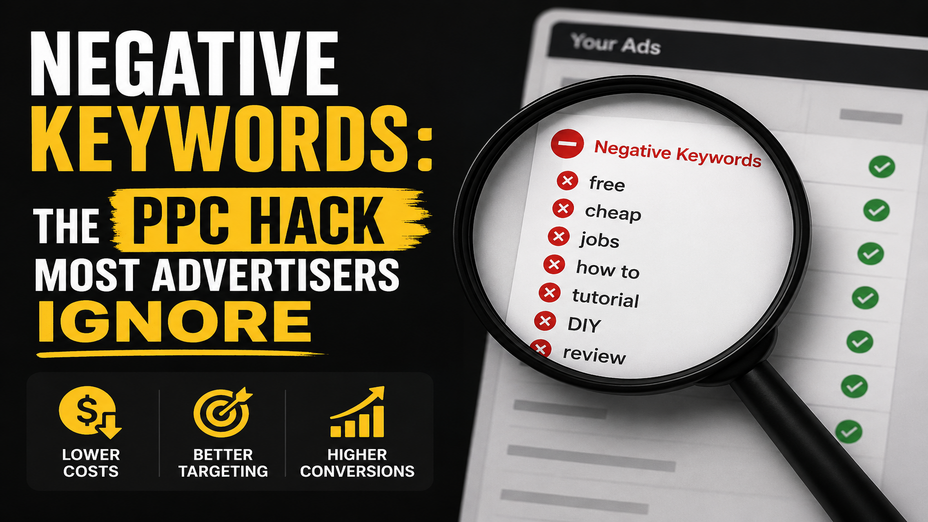
If you run Google Ads campaigns and want to discover how to stop wasting ad spend on clicks that never convert, you are in the exact right place. Every single day, businesses watch their marketing budgets get drained by unqualified search queries, job seekers, and accidental clicks. The single most effective, yet frequently ignored, tool to fix this budget leak is negative keywords. By telling search platforms precisely which search terms must never trigger your ads, you filter out irrelevant traffic, protect your budget, and attract high-intent buyers who are genuinely ready to convert.
When you create a PPC campaign, you select target keywords that tell ad platforms when to show your ads. However, modern search engine matching algorithms are notoriously broad. Even if you choose a phrase or exact match, your ads frequently show up for loosely related phrases, research queries, or completely irrelevant industries.
Negative keywords act as your campaign's defensive shield. They are specific words or phrases that prevent your ads from appearing whenever a user includes them in their search query.
Think of it this way: positive keywords define your audience, while negative keywords protect your profit margins. Without an active negative keyword strategy, you pay for every curious browser, DIY enthusiast, and mismatched searcher who clicks your link without any intention of buying your services.
Most advertisers assume that poor campaign performance stems from weak ad copy or low bids. In reality, the culprit is almost always wasted ad spend on irrelevant clicks.
Here are the most common search patterns that silently drain your budget:
Auditing your account to identify these terms is the foundation of effective PPC budget optimization. If you are building out your first campaign structure, review this practical guide on how to launch a successful PPC campaign to understand baseline account hygiene.
Applying negative keywords is not as simple as dumping a list of words into your account. Just like standard keywords, Google Ads allows you to use three distinct negative match types. Understanding how they behave prevents you from accidentally blocking valuable converting traffic.
|
Negative Match Type |
Syntax Example |
How It Operates |
Example Search Query Blocked |
|
Negative Broad Match |
running shoes |
Blocks your ad if the search contains all negative terms, in any order. |
"best running trail shoes" |
|
Negative Phrase Match |
"running shoes" |
Blocks your ad only if the search contains the exact phrase in the same order. |
"cheap running shoes sale" |
|
Negative Exact Match |
[running shoes] |
Blocks your ad only if the search contains the exact terms with no extra words. |
"running shoes" |
This is the default setting in Google Ads. Your ad will not show if the user's query contains all of your negative keyword terms, regardless of the order in which they appear. However, if the search query contains only some of the words, your ad can still show.
With negative phrase match, your ad will not show if the search contains the exact keywords in the exact order you specified. Additional words can come before or after the phrase, but the core sequence must stay intact.
This is the most restrictive option. Your ad is blocked only if the user types the exact keyword terms with no extra words before, between, or after them.
Important Technical Note: Unlike standard keywords, negative keywords do not automatically account for close variants, typos, or plural versions. If you add [free] as a negative exact keyword, your ad might still trigger for [frees] or [fre]. You must add common variations manually.
Eliminating budget waste requires both proactive planning and continuous maintenance. Follow this proven framework to maintain clean search traffic.
Do not wait for irrelevant clicks to happen before building your negative keyword list. Before your ads go live, create a universal master negative list containing common waste terms:
Your search terms report is the single most valuable diagnostic tool inside your ad account. It reveals the exact queries real users typed before clicking your ads.
Sort your search terms report by highest spend and zero conversions. Look for patterns in irrelevant queries, select the unwanted terms, and add them directly to your negative keyword lists.
Rather than manually typing the same negative keywords across every individual ad group, organise your negatives into centralized Shared Lists within the Google Ads Shared Library.
This approach ensures that when you discover a junk term in one campaign, it is immediately blocked across your entire account. To better understand how budget allocation and traffic filtering impact campaign costs, explore our breakdown on Google Ads pricing and budget planning.
Adding negative keywords does far more than simply stop unwanted clicks. It triggers a positive chain reaction across your entire paid search performance.
Add Negative Keywords
↳ Irrelevant Impressions Dropped
↳ Click-Through Rate (CTR) Rises
↳ Quality Score Improves
↳ Average Cost-Per-Click (CPC) Drops
↳ Cost-Per-Acquisition (CPA) Decreases
When you prevent your ads from showing to uninterested searchers, your ad relevance and expected Click-Through Rate (CTR) naturally increase. Google's algorithm rewards higher CTR and relevance with a stronger Quality Score.
Because Google uses Quality Score to determine ad rank and pricing, improving this metric directly reduces your average Cost-Per-Click (CPC). Ultimately, you get more qualified clicks and conversions out of the exact same marketing budget. To learn more about maximizing your paid search returns, see our guide on unlocking the true power of Google Ads.
Even experienced media buyers can make critical errors with negative keyword management. Watch out for these four common pitfalls:
Running profitable paid search campaigns requires meticulous data analysis, relentless optimization, and proactive account management.
We at GBIM help businesses eliminate wasted spend by engineering high-performance search marketing structures. Our team provides comprehensive paid advertising management, continuous search query filtering, and landing page conversion optimization. Our services support businesses across diverse industries, ensuring your budget focuses exclusively on high-value prospects who are ready to become paying clients.
Whether you need a complete PPC account restructuring or strategic guidance to improve lead quality, discover how our tailored solutions support your growth by exploring our full suite of brand and digital marketing services.
A negative keyword is a specific word or phrase that prevents your ads from displaying when someone searches for that term.
They block clicks from unqualified searchers, job seekers, and irrelevant queries so your budget is spent only on high-intent prospects.
Yes, by eliminating irrelevant impressions, negative keywords boost your Click-Through Rate (CTR), which directly improves your overall Quality Score.
Negative phrase blocks searches containing your exact phrase in order, while negative exact blocks only searches matching the exact query with no extra words.
You should review your search terms report weekly to identify and add new negative search terms as user search trends evolve.
Yes, if you mistakenly add broad negative terms that are part of valuable, converting customer search queries.
309, Rupa Solitaire,
Sector-1, Millennium Business Park,
Mahape, Navi Mumbai,
Maharashtra (400 710), INDIA.
Write to us at
hr@gbim.com