
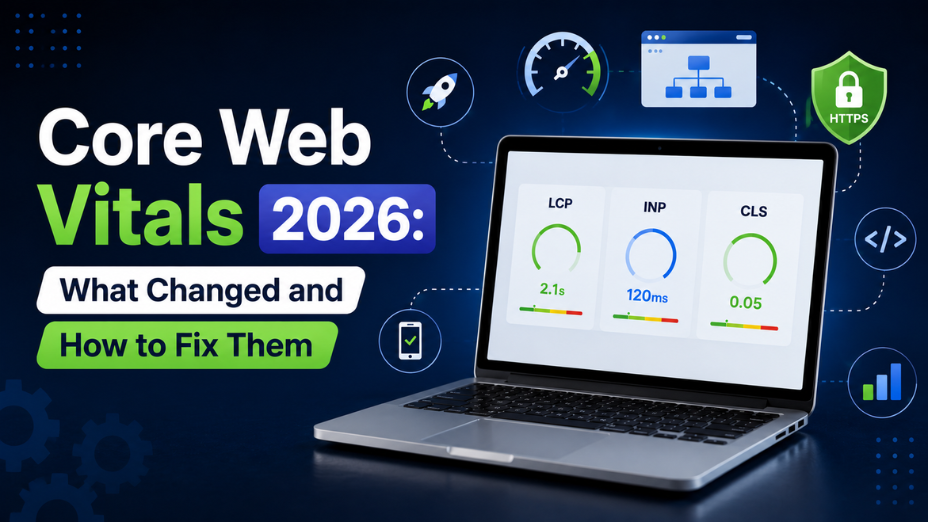
If your website is loading slowly or dropping in search results, learning how to fix core web vitals is the easiest way to regain your Google rankings and keep visitors on your site. Core Web Vitals are Google's official scorecards for website speed, layout stability, and click responsiveness.
Designed for business owners, web managers, and marketers, this simple guide shows you step-by-step how to fix performance issues. You are in the right place to clear up speed errors, pass Google's tests, and give your visitors a fast, smooth experience.
Google wants websites to feel fast and smooth for real visitors. If you optimized your site a year or two ago, the rules have tightened up.
The biggest change recently is how Google measures responsiveness. Google replaced its old test with Interaction to Next Paint (INP). The old metric only checked how fast your site responded to a user's very first click. INP checks every single click, tap, and menu button during the entire visit.
Google also relies on real-world data from actual Chrome browser users over a rolling 28-day window. If your site feels fast in your office but runs slow on a visitor's mobile phone, Google notices. Failing these tests lowers your search rankings and makes your paid ads more expensive.
Google looks at three simple metrics to score your website. At least 75 percent of your visitors must experience a "Good" page load for your site to pass.
|
Metric |
Good Target |
What It Means in Plain English |
|
Largest Contentful Paint (LCP) |
2.5 seconds or faster |
How fast the main content on your screen loads |
|
Interaction to Next Paint (INP) |
200 milliseconds or faster |
How fast the page reacts when a user clicks something |
|
Cumulative Layout Shift (CLS) |
0.1 or lower |
Whether images or text jump around while loading |
LCP tracks loading speed. It measures how long it takes for the main visual element on your screen to appear. This is usually your top banner image or headline. If it takes longer than 2.5 seconds, visitors get impatient and leave.
INP tracks responsiveness. When a visitor taps a button, opens a drop-down menu, or clicks a image, your site should react instantly. An INP score under 200 milliseconds keeps your page feeling instant and smooth.
CLS tracks visual stability. Have you ever tried to click a button on a website, but an image loaded late and pushed the button down, making you click the wrong thing? That is layout shift. A score of 0.1 or lower means your page stays steady while loading.
Many business owners run a test on PageSpeed Insights and get confused. They see a high test score on their computer, but Google Search Console still says their site is failing.
That happens because lab tools simulate a single page load under perfect conditions. Google does not rank your site using synthetic lab tests. Instead, Google uses field data collected from real Chrome users visiting your site on mobile networks and different devices. If real users experience lag, your page experience score drops.
Fixing performance issues comes down to targeting the exact problem slowing down your pages. Here is how to fix each score.
LCP issues usually happen because your main image is too large or your server responds too slowly.
High INP scores mean heavy background code is locking up the browser when someone tries to click.
CLS happens when the browser does not know how much space an image or box needs until after it downloads.
Fixing technical site errors takes more than installing a simple speed plugin. It requires clean code, smart server settings, and ongoing attention.
At GBIM, we have over 21 years of hands-on experience in technical web optimization and digital growth. We bring engineering clarity to website optimization, making your pages fast for real visitors and search engines alike.
Here is how our team helps:
Core Web Vitals are not just tech metrics for developers. They directly affect how easily potential customers find your site and how long they stay. Ignoring speed errors leads to dropped rankings, wasted marketing dollars, and lost leads.
We at GBIM help businesses fix hidden technical bottlenecks quickly and safely. Our team works directly on your site code to boost load speeds, fix click delays, and keep layout elements stable. Our services support growing companies looking to convert more web traffic into real business revenue.
A passing score requires an LCP of 2.5 seconds or less, an INP of 200ms or less, and a CLS of 0.1 or less for most visits.
Google updates field data on a rolling 28-day cycle, so fixes usually show up in Search Console within 2 to 4 weeks.
Yes, great content is still critical, but failing these metrics gives your competitors an advantage and hurts your conversion rates.
PageSpeed tests a single lab simulation, while Search Console tracks real data from actual Chrome users visiting your site.
Slow INP delays add-to-cart clicks and mobile menu navigation, causing frustrated shoppers to leave before buying.
It helps LCP significantly, but you still need to optimize background scripts and server response times for full results.
309, Rupa Solitaire,
Sector-1, Millennium Business Park,
Mahape, Navi Mumbai,
Maharashtra (400 710), INDIA.
Write to us at
hr@gbim.com